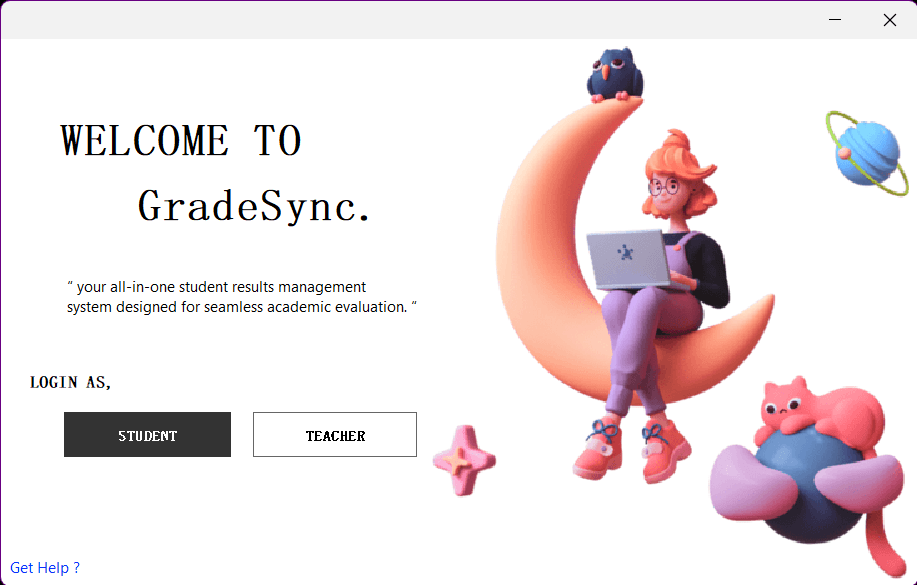
GradeSync-LMS
Madhuka Malshan / March 13, 2025
Introduction
GradeSync-LMS is a Java-based Learning Management System (LMS) application developed using Apache NetBeans. It provides features to manage students, teachers, courses, and academic activities efficiently. This document provides information on how to set up, run, and maintain the application, including details about its structure and the technologies used.
Features
- Student and Teacher Management: Manage profiles and academic activities.
- Course Creation and Enrollment: Create courses and enroll students.
- Profile Editing and Password Management: Update user profiles securely.
- User-Friendly Interface: Easy navigation for all users.
Tech Stack
The application is built using the following technologies:
- Programming Language: Java
- IDE: Apache NetBeans
- Database: MongoDB (Note: The original text mentions MongoDB, but the setup instructions refer to MySQL or PostgreSQL. Ensure the correct database is used based on your setup.)
- Version Control: Git
Project Structure
The project consists of the following main parts:
- Frontend: Contains all UI-related Java code for user interaction.
- Backend: Java classes handling business logic and database interactions.
- Database: Stores user data, courses, and other relevant information.
- Config Files: Includes environment settings and database configurations.
Prerequisites
Before running the application, ensure that the following tools and software are installed:
- Java Development Kit (JDK):
- Download and install the latest version of JDK.
- Add the JDK bin directory to your system's PATH environment variable.
- Apache NetBeans:
- Download and install Apache NetBeans.
- Ensure that NetBeans is configured to use the installed JDK.
Database Requirements
Ensure a supported database is installed and running (e.g., MySQL, PostgreSQL). Set up the database schema and populate it using the provided SQL scripts (if any).
Installation Steps
Clone or Extract the Project
- If you received this project as a RAR file, extract it to your desired location.
- If hosted on a repository, clone it using:
git clone https://github.com/madhuka2002/GradeSync-LMS.git
Import into Apache NetBeans
- Open Apache NetBeans.
- Click on File > Open Project.
- Browse to the extracted/cloned project folder and open it.
Configure the Database
- Update the database connection settings in the project's configuration file (e.g.,
config.propertiesor similar). - Ensure the database credentials (username, password, URL) are correctly set.
Build the Project
- In NetBeans, right-click on the project in the "Projects" window.
- Select Clean and Build.
Run the Application
- Start the Database Server:
- Ensure your database server is running and accessible.
- Run the Application:
- In NetBeans, right-click on the project in the "Projects" window.
- Select Run or press
F6.
- Access the Application:
- If web-based, open your browser and navigate to
http://localhost:8080. - If desktop-based, the interface will load directly.
Troubleshooting
NetBeans Cannot Find the Main Class
- Verify that the main class is correctly specified in the project's properties:
- Right-click on the project in NetBeans, go to Properties > Run, and check the Main Class field.
Database Connection Issues
- Ensure your database server is running and accessible.
- Double-check connection settings in the configuration file.
Dependency Errors
- Verify that all required libraries (e.g.,
.jarfiles) are added to the project. - Add missing dependencies via Libraries in NetBeans.
Deployment
To deploy the application, follow these steps:
- Upload Project Files: Upload project files to a server.
- Set Up the Database: Set up the MySQL or PostgreSQL database on the server and import the SQL file.
- Update Database Credentials: Update
config.propertieswith the live database credentials.
Contributing
- Fork the repository (if applicable).
- Create your feature branch:
git checkout -b feature/YourFeature- Commit your changes:
-git commit -m "Add your feature"- Push to your branch:
-git push origin feature/YourFeature- Open a pull request for review.
License
This project is licensed under the MIT License.
For questions or feedback, feel free to contact the developer.